
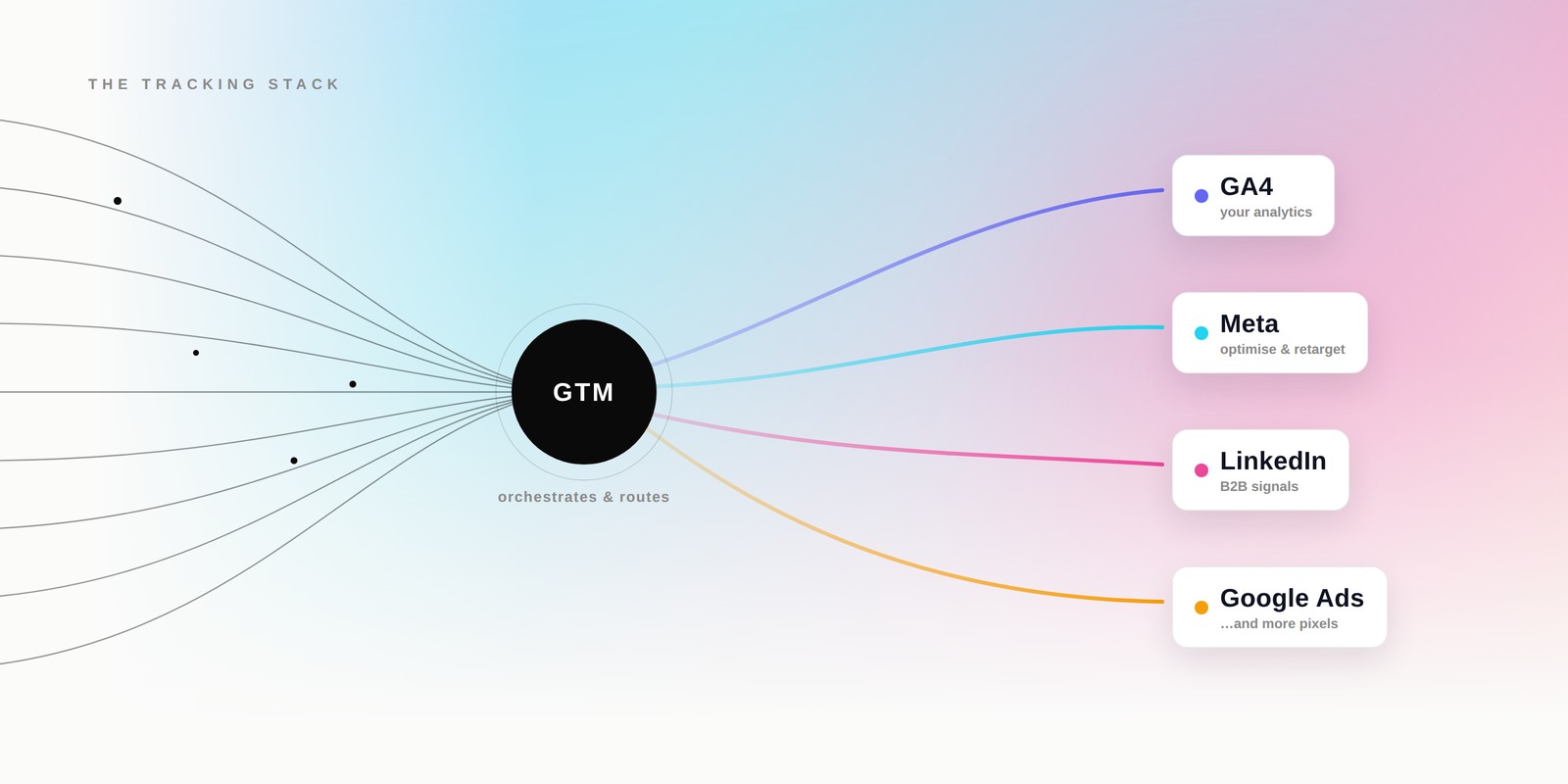
Why it all blurs together
Every vendor has a dashboard, every dashboard wants a snippet, and every snippet gets pasted into the same corner of your website. So it's no surprise the names run together. But the confusion almost always comes from mixing up three different jobs: the tool that collects a piece of data, the tool that manages and deploys those collectors, and the place the data finally lands — and how much of that data you can actually get back out.
Three words, used precisely. Tag / pixel: a snippet of code on your site that records an interaction and sends it out — "pixel" is simply the ad industry's older name for a tag, from the days of 1×1 tracking images. Event: the interaction being recorded — a page view, a click, a purchase. Destination: the platform that receives and stores those events — your GA4 property, or an ad platform like Meta or LinkedIn.
Sort every acronym into those layers and the fog lifts. Tags and pixels are collectors. Google Tag Manager is a manager. The destinations are your GA4 property and the ad platforms — two very different kinds of destination, as we'll see. And here's a subtlety worth naming: when someone says "the Meta Pixel," strictly they mean the collector on your site; the destination it feeds is Meta's ad platform. The same name gets used for both ends of the pipe — which is half the confusion right there.
Collect · tags & pixels
Manage
Google Tag Manager
the container — tags · triggers · variables
Destinations · measure & activate
GA4 · full data access
Your analytics — exportable down to event level, usable outside the platform.
Meta & LinkedIn ads · reports only
Ad platforms you feed — they keep the raw stream, optimising & retargeting on your behalf.
The four names you keep hearing
Four tools account for most of the confusion. Here's what each one actually is, where the data ends up (and how much of it you can access), and when to reach for it — toggle between them:
The core four
Google Analytics 4 — your measurement
- What it is: Google's analytics product, built on an event model. Every page view, click, scroll or purchase is recorded as an "event." (Source: Google Analytics Help.)
- Your data access: full. You can view, segment and export it — down to raw event-level data via the BigQuery export — and use it independently outside the platform.
- Reach for it when: you want to understand on-site behaviour and build audiences and reports you control.
Notice the real split — it isn't "who owns it" so much as what you can get back: GA4 lets you export the full event-level stream; the ad platforms give you reports while keeping (and also using) the underlying data; GTM holds no data at all and simply delivers tags. Every source above is official — links at the end.
How they actually fit together
gtag vs GTM — the snippet vs the switchboard
There's a fifth name that trips people up: the Google tag (gtag.js). It's a single snippet that sends data to Google products like GA4 and Google Ads — simple, but Google-only, and it needs a developer to change. Google Tag Manager is the switchboard around it: two snippets, a web interface, and support for Google, third-party and custom tags without touching code. Google's own guidance is that you can use the Google tag on its own, or use it with Tag Manager — whichever fits your team.
GA4 is a destination, not the plumbing
This is the mental unlock. GA4 doesn't "install tags" and GTM doesn't "do analytics." GTM (or the Google tag) is the plumbing that carries events; your GA4 property is one destination where they arrive. The Meta Pixel and LinkedIn Insight Tag are collectors too — but they carry events to a different kind of destination: the ad platforms' own systems, tuned for optimisation and retargeting, not for your analysis. One switchboard, several destinations, each for a different reason.
Browser, server, and consent
Historically, all of this ran in the visitor's browser. That's increasingly fragile: ad-blockers, browser tracking-prevention and consent choices quietly erode browser-collected events. The response is server-side: send events from your own server instead. Meta's Conversions API and Google's server-side Tag Manager do exactly this — more reliable, and you get to control what data actually leaves.
Browser tag vs server-side, at a glance
| Browser tag | Server-side | |
|---|---|---|
| Where it runs | The visitor's browser | Your own server |
| Reliability | Lost to ad-blockers, tracking-prevention, failed page-loads | Survives most of that |
| Data control | Sends whatever the page exposes | You can strip personal data before it leaves |
| Setup effort | Paste a snippet | Needs a server container and configuration |
Layered on top is consent mode — Google's mechanism for tags to adjust their behaviour based on a user's consent choices. When a visitor denies consent, consent-aware tags stop setting cookies and instead send "cookieless pings," so you keep a compliant, modelled signal without storing identifiers. Run in a first-party, server-side context and you can also keep more of the data on your own domain.
Consent isn't a footnote to the setup — it should decide what fires, by design. A tag that ignores a visitor's choice isn't a tracking win; it's a liability.
The cross-border reality
Everything above assumes your tags can actually load. Across the mainland China border, that assumption breaks. GA4, GTM and the Google tag all load from Google-owned domains that aren't reliably reachable inside mainland China — so a dashboard that looks fine can be quietly under-counting a huge slice of your audience. If you measure mainland visitors, validate in-market rather than trusting the global default, and plan for domestic measurement alongside your international stack.
Then there's the law. Under China's Personal Information Protection Law (PIPL), moving personal information out of the mainland needs a lawful basis and, in many cases, separate, informed consent — a distinct opt-in, not a line buried in a long privacy policy. A pixel that ships user data to an overseas ad platform is, in that light, a cross-border data-transfer decision, not just a marketing one. Hong Kong's own regime (the PDPO) differs again — which is why a cross-border brand often runs deliberately different measurement setups per market.
This is the point where "set the pixel and forget it" stops being viable. Getting measurement both accurate and compliant across Greater China is a design decision, market by market.
Interactive · Try it
Where should you actually start?
01What's the immediate pressure?
02Where do most of your customers sit?
03How's your tagging set up today?
A starting point, not a prescription — most mature setups run several of these together.
Jargon, decoded
One snippet that sends data to Google products like GA4 and Google Ads. Simple, but Google-only and it needs a developer to change.
The bundle of tags, triggers and variables that Tag Manager deploys on your site. You keep one container per website or app.
A single recorded interaction — a page view, a click, a purchase. GA4's entire model is built on events.
An event that matters to the business — a lead, a sale. GA4 calls these "key events"; ad platforms call their versions "conversions."
Meta's server-to-server channel that shares the same events as the Pixel, so you recover conversions the browser drops. Meta de-duplicates the overlap.
A way for Google tags to adapt to a user's consent choices — sending cookieless pings instead of setting cookies when consent is denied.
Running tags from a server container instead of the browser, so you control what data leaves and lose fewer events to blockers.
A small JavaScript object on the page where your site publishes information — order value, page type — for Tag Manager to read and pass along.
Key Takeaways
- 01Sort every tool into one of three jobs — collect (tags & pixels), manage (GTM), or measure/activate (GA4 and the ad platforms). Most confusion is a mix-up between these layers.
- 02GA4 hands you the full, exportable event stream; the ad platforms hand you reports while keeping the underlying data. GTM is how you deliver tags to any of them without touching site code.
- 03Browser tags miss data; server-side recovers it. The Conversions API and server-side tagging exist because ad-blockers, tracking-prevention and consent quietly erode browser events.
- 04Consent should drive what fires — by design, not as an afterthought.
- 05Across the mainland China border, the defaults break. Google tags can under-count, and PIPL treats data leaving the country as a decision that needs a lawful basis and often separate consent.
The tools are simple; the stack is not — especially across Greater China. Spectrum designs measurement that's accurate market-by-market and compliant across borders, so your numbers mean something before you scale spend. Let's talk.
Sources
- Google Analytics Help — About events (GA4)
- Google Tag Manager Help — Introduction to Tag Manager
- Google Tag Manager Help — Tag Manager and the Google tag (gtag.js)
- Meta for Developers — Meta Pixel
- Meta Business Help — About the Conversions API
- LinkedIn Marketing Solutions Help — Add the LinkedIn Insight Tag
- Google for Developers — Consent mode overview
- Google Tag Manager Help — Client-side vs. server-side tagging
- IAPP — First case on PIPL's extraterritorial scope (cross-border transfer & consent)